
Auto Generate Field
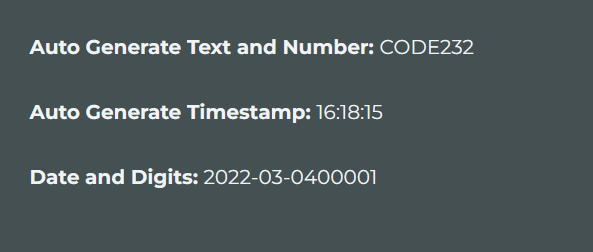
The Auto Generate Field is for automatically generating data, for example invoice numbers, order IDs, dates, digits, counts, time + date and other various combinations. In the case of the counters, it works by checking the last entered value in that form and incrementing by 1.
Available Formats (Initial Field Parameters)
| Format | Description |
|---|---|
| Full Timestamp | Full Date and Timestamp in the following format: 2021-03-04 16:22:06 |
| Time | 16:22:06 |
| Date | A selection of Formats available: |
| Number Increments | Pure digits, e.g. 0439, choose the starting number, e.g. 0000 and choose the length of digits (i.e in this case the length is 4) |
| Text and Number Increments | Similar to Number Increments but you can append a piece of text at the start. E.g. INVOICE00543 |
| Date and Number Increments | Similar to Text and Number Increments but you can choose today's date to be appended at the start, e.g. 202104010004 |
| Text, Date and Number Increments | A combination of all of the above 3 |
| (Optional) Choose another field to use to count against | See details below for this parameter |
(Optional) Choose another field to use to count against
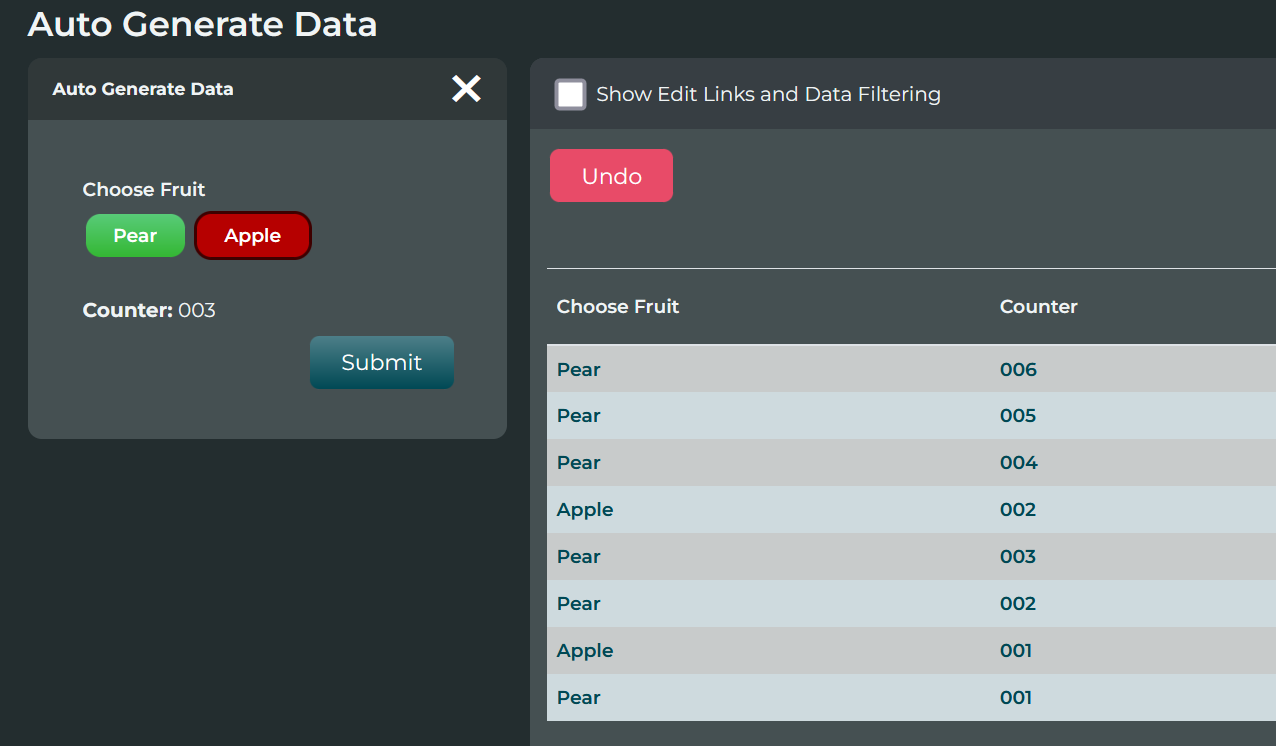
It is possible to reset the autogenerate field count based on another value of a field in the bloc.
For example, supposing you want to do a counter of fruit, you could have a field called Fruit: Apple or Pear. You could then have an autogenerate field the gets the last value for the particular chosen fruit as opposed to the last value in general. This way the autogenerate field can give different results depending on values of the other field.
Optional Parameters
| Parameters | Description | |
| Compare to the highest value number | For example, if you are incrementing a counter, it will start to increment from the highest value number in the records instead of the most recent record to get the next value. | |
| Force to empty value after form submission or editing | This is now disabled and will be removed in future releases. | |
| Never Trigger while hidden due to Conditional Visibility | ||
| Never Trigger if value already exists while editing | An autogenerate field never triggers while editing regardless of conditional visibility settings, however with "Trigger the Autogeneration if this appears during editing due to Conditional Visibility" it can trigger a new one. This parameter restricts this new trigger only to situations where there is no value already there and "Trigger the Autogeneration if this appears during editing due to Conditional Visibility" is turned on. | |
| Trigger the Autogeneration if this appears during editing due to Conditional Visibility | By default, the auto generation will not trigger if it appears while editing, this setting overrides this and will trigger one. | |
| Force Unique Autogenerated Values (generate final value on form submission only) | Generates a unique value only on form submission to ensure it's up-to-date and not duplicated. |