
Time/Date Difference
The Time/Date Difference field is used to calculate the difference between two timestamps, be it whether its just calculating the difference between two times in a single day, or calculating the number of days between two dates. There are various formats that this data can be outputted as. Its a useful field for features like clocking in and out, or even just comparing expiry date with current date etc.
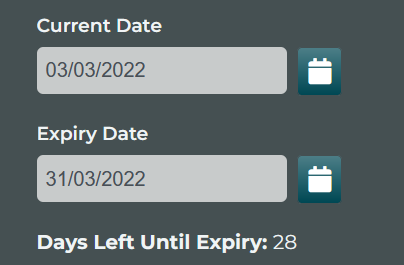
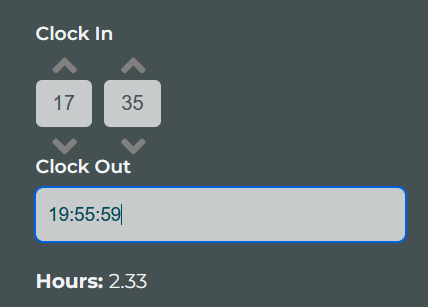
Difference Initial Field Parameters
| Parameter | Description |
|---|---|
| Select Start Date/Time | The field that contains the date (or time) value that would be considered the beginning date to compare. |
| Select End Date/Time | The field that contains the date (or time) value that would be considered the second date or time to compare the first value to. |
| Format to Read | This is the format of the date or time that the 2 fields that are being compared must be. |
| Default Results Format (For Date option) | This is the option that decides the final value of this field. Some users may want specific results or less rounded results. |
| Default Results Format (For Time Option) | This is the option that decides the final value of this field. Some users may want specific results or less rounded results, and some may want time format in the result itself. Use Total Hours: Here the value is rounded to the nearest hour and simply gives a final integer value. e.g. 4 and 37 minutes will result in the value: 5. Use Time Format: Some users prefer to see the actual time format as it is easier to read and interpret when thinking about time. In this case 3 hours and 42 minutes will show as 03:42. Please note, with this option you will not be able to apply Maths calculations or totals to it. |
| For Start Checkbox | When checked, it automatically uses the current Data or Time for the Start Date. |
| For Finish Checkbox | When checked, it automatically uses the current Data or Time for the Finish Date. |